


It replaces your antivirus, stops ransomware early, and can restore files on Windows PCs with one click.
Ransomware locks the files on a computer and demands payment to unlock them. For a business, one infected PC can stop the whole office. SentinelOne is the protection we install on client computers. This post explains in plain terms what it does, what it replaces, and what it can and can’t do.
In short
- It replaces your current antivirus, so each PC runs one product instead of two.
- It watches for ransomware behaviour and stops it early.
- It protects Windows’ restore points, so on a Windows PC we can restore locked files to how they were before the attack with a single action.
- It works alongside backups, which you still need.
Do you still need your current antivirus?
No. SentinelOne is built to replace traditional antivirus software, so you don’t install another antivirus alongside it. Running two security products on one computer can slow it down and cause conflicts. An existing antivirus can also stop SentinelOne from installing at all, which is why we handle the switch for you.
When we switch you over:
- We remove the old antivirus, and restart the PC if needed.
- We install SentinelOne.
- We confirm it is working and reporting to us.
On Windows 10 and 11, Windows then treats SentinelOne as the antivirus automatically. We handle servers separately.
Once every PC has been switched over, you don’t need to renew your old antivirus subscription.
If ransomware gets in
- SentinelOne notices a program behaving like ransomware, for example locking many files quickly, and stops it.
- Our team reviews what happened.
- On a Windows PC, we restore the affected files to how they were before the attack, with one action from our management system. Your staff don’t have to do anything.
- We find out how it got in and close the gap.
How one-click recovery works
Windows keeps regular restore points in the background. SentinelOne uses them and is designed to protect them, so ransomware can’t delete or tamper with them. That protection is what makes recovery possible. After an attack, we can put the affected PC’s files back to how they were before.
Good to know:
- It works on Windows PCs. Macs and Linux computers get protection, but not the same recovery.
- Files changed after the most recent restore point may not come back, so catching an attack quickly matters.
- It restores the computer’s own disks. Files kept on a separate NAS, server or cloud service rely on that system’s own protection and backups.
Backups still matter
One-click recovery is the fastest way to fix an infected PC, and it sits alongside backups rather than replacing them. No single tool covers every situation, so keep regular backups, test that they restore, and keep one offline copy that attackers cannot reach. See our Backup Assurance service and our ransomware recovery case study.
More Than Ransomware Protection: Control How Employees Use Company Computers
SentinelOne offers more than traditional antivirus replacement and ransomware protection. With additional endpoint control capabilities, businesses can also manage how employees connect devices and access network resources.
For SMEs, these controls are particularly useful because company information is often stored on employees’ computers and shared through USB drives, personal devices and online services.
1. Control USB Storage and Prevent Unauthorised Data Copying
USB flash drives and external hard disks are convenient, but they can also create security risks.
Employees may accidentally introduce malware through removable storage or copy confidential company information onto personal devices.
With USB device control, businesses can:
- Block USB mass storage devices to prevent unauthorised file copying.
- Allow only approved USB devices.
- Set selected USB storage devices to read-only access.
- Permit specific encrypted USB drives while blocking other removable storage.
- Control different types of USB peripherals without unnecessarily disabling keyboards, mice and printers.
For example, a company can prevent employees from copying business files to personal USB drives while allowing designated management staff to use approved encrypted storage devices.
This provides an additional layer of protection for confidential documents, customer records and business information.
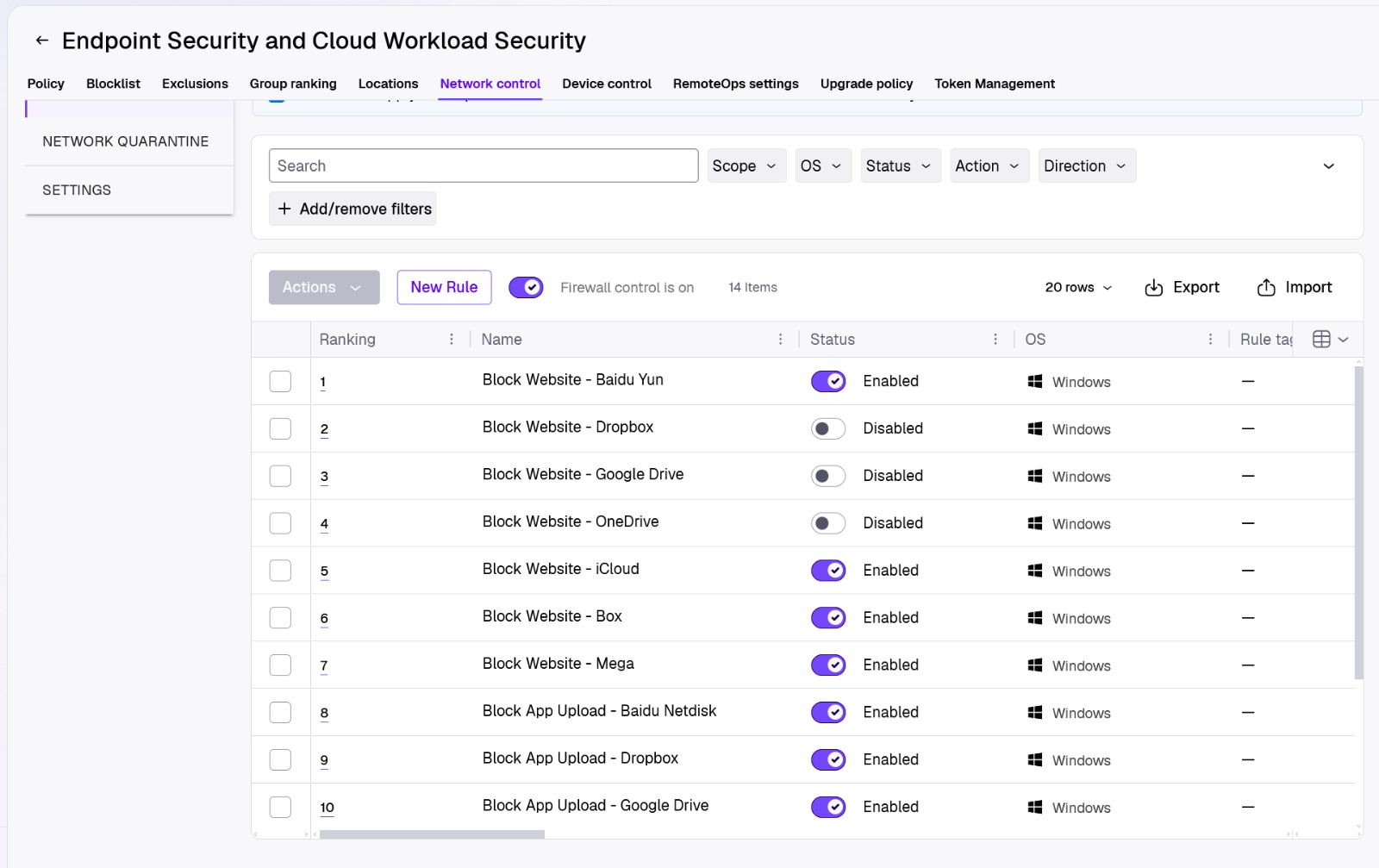
2. Control Network Connections on Employee Computers
Company laptops are not always connected to the office network. Employees may work from home, visit customers or connect through public Wi-Fi.
Endpoint network control provides another layer of protection by managing network traffic directly on supported computers.
Businesses can apply policies to:
- Control inbound and outbound network connections.
- Restrict unnecessary network communication.
- Apply different firewall policies depending on whether a computer is inside or outside the company network.
- Reduce exposure to unwanted network connections when employees work remotely.
This helps maintain more consistent endpoint network security, even when employees are not working in the office.
For website-category restrictions, such as blocking gambling or other inappropriate websites, a dedicated web-filtering or secure internet access solution may still be required.
3. Control Bluetooth and External Devices
Bluetooth devices are widely used in offices, but unauthorised peripherals can introduce additional security risks.
Businesses can restrict which Bluetooth device types are permitted and allow approved peripherals such as keyboards, mice and headsets.
This helps reduce unnecessary device connections while allowing employees to continue using the equipment required for their work.
4. Identify Computers Without Endpoint Protection
A common problem for growing SMEs is that not every company computer is properly managed.
A newly purchased laptop, an old workstation or a temporary device may connect to the company network without having the required security protection installed.
SentinelOne’s device discovery capabilities can help identify computers on the network that do not yet have its protection agent installed.
This gives IT administrators better visibility of potential deployment gaps and helps them follow up on unprotected devices.
5. Investigate Suspicious Activities and Respond Centrally
When suspicious activity occurs, simply displaying an antivirus warning may not be enough.
Modern endpoint protection provides additional visibility into related processes, files and suspicious activities.
IT administrators can investigate what happened, identify affected computers and take response actions such as isolating a compromised endpoint.
For SMEs without a dedicated cybersecurity department, centralised monitoring and response can reduce the time required to investigate security incidents.
A More Complete Approach to Endpoint Security
Ransomware protection is important, but businesses also need to consider how employees handle company data, connect removable devices and access network resources.
Combining threat prevention, ransomware recovery, device control and network security policies provides a more comprehensive approach to protecting company computers.
At TopOne, we help businesses deploy and manage endpoint security solutions, configure appropriate protection policies and monitor their security status.
The objective is not only to stop malware, but also to reduce unnecessary data exposure and improve control over company devices.

What your team needs to do
Very little:
- Let us install SentinelOne and remove the old antivirus.
- Keep PCs updated and connected to the internet.
- Tell us right away about unusual messages, locked files or alerts.
- Use strong passwords and multi-factor sign-in.
Common questions
Will it slow my PC? It is designed to run quietly in the background. If you notice a slowdown, tell us and we’ll look into it.
Can you promise we won’t get ransomware? No provider can promise zero risk. SentinelOne reduces it, and recovery and backups limit the damage.
Does it cover our Macs and servers? Macs are protected, with limited recovery. Servers are set up individually, because they need different handling.
To find out whether SentinelOne is included in your plan, or how to add it, see our SentinelOne page or contact us.